How to Pistol Whip in 10 Steps for Beginners
To start Pistol Whip, set up your VR gear and launch the game. Getting familiar with the shooting and reloading controls is key. Sync your shots with the visual and haptic cues to stay on beat and improve accuracy.
Dodge bullets and obstacles by moving your head quickly—it’s all about timing and reflexes. For beginners, choosing Arcade mode is a great way to practice without too much pressure.
Once you feel comfortable, try the Campaign mode for a bigger challenge. You can customize the difficulty using modifiers to match your skill level and keep things interesting.
Work on timing your shots perfectly to the beat; this will boost your scores and make the gameplay more rewarding. Don’t forget to manage your armor by avoiding damage and defeating enemies quickly.
Keep progressing through levels, and you’ll unlock even more tips and tricks to elevate your skills and become a Pistol Whip pro.
Key Takeaways
– Connect and calibrate your VR headset and controllers, making sure the tracking is spot on.
Also, clear out a 2×2 meter play area so you have enough room to move around safely.
– When you’re ready, aim your weapon at targets and press the shoot button.
Reload by aiming at the floor and pressing reload—it’s that simple.
– Move your head quickly to dodge bullets and obstacles.
Keep an eye on threat indicators; they help you anticipate enemy fire.
– Try practicing your shots on the beat by syncing them with music pulses and visual cues.
This really helps improve your timing and boosts your score.
– Use the pistol whip melee move when enemies get too close.
It’s a great way to save your armor and stay alive during intense combat.
Set Up Your VR Gear and Launch Pistol Whip

Before you jump into the action, make sure your VR headset is properly connected and calibrated, and your controllers are tracking accurately. Start by turning on your VR headset and ensuring the calibration is spot on for smooth gameplay.
Power up your controllers and verify they’re tracking correctly within your VR environment. Next, clear your play area of any obstacles to avoid accidents.
Pistol Whip recommends a 2×2 meter space, so adjust your play area accordingly to give yourself enough room to move freely. Position your VR sensors or external tracking cameras securely to maintain accurate movement tracking throughout your session.
Once everything’s set, launch Pistol Whip from your VR headset’s menu or library, and you’re ready to dive into the game.
Sync Shots With Visual and Haptic Cues
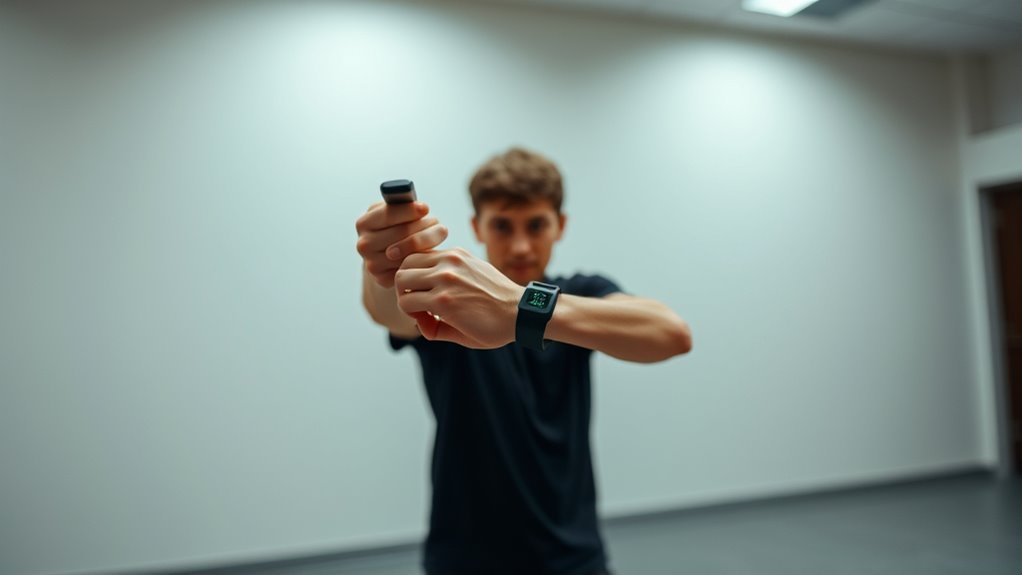
You’ll want to watch for the flashing visual beat indicators to time your shots perfectly. Turn up the haptic feedback in your settings so you can feel the rhythm through vibrations.
Combining these cues helps you sync your shots more naturally and stay locked to the beat. It really makes the whole experience feel smoother and more intuitive.
Using Visual Beat Indicators
When syncing your shots to the rhythm, rely on the pulsing flash that visually marks the beat in the game. These beat indicators serve as essential visual cues, helping you lock in perfect rhythm timing.
Watch for flashes not only in the main scene but also on the map and other scene-specific signals that align with the music’s tempo. Shooting precisely when these visual cues pulse ensures your actions stay tightly synced with the beat.
If you struggle to catch the timing, tweak your game settings to boost the visibility of these indicators. By focusing on these visual beat indicators, you train your eyes to anticipate the rhythm, making your pistol whip shots sharper and more consistent every time.
Maximizing Haptic Signal Strength
How can you sharpen your timing beyond just watching visual cues? Maximize haptic feedback strength in your game settings to enhance tactile cues. Strong vibrations let you physically feel the rhythm through your hands, making rhythm synchronization more intuitive.
Focus on the pulsing haptic signals that match the visual beat indicators; combining these cues creates a more immersive experience. Practice shooting in sync with these tactile signals to develop a natural sense of timing and improve accuracy.
Learn the Basic Controls for Shooting and Reloading
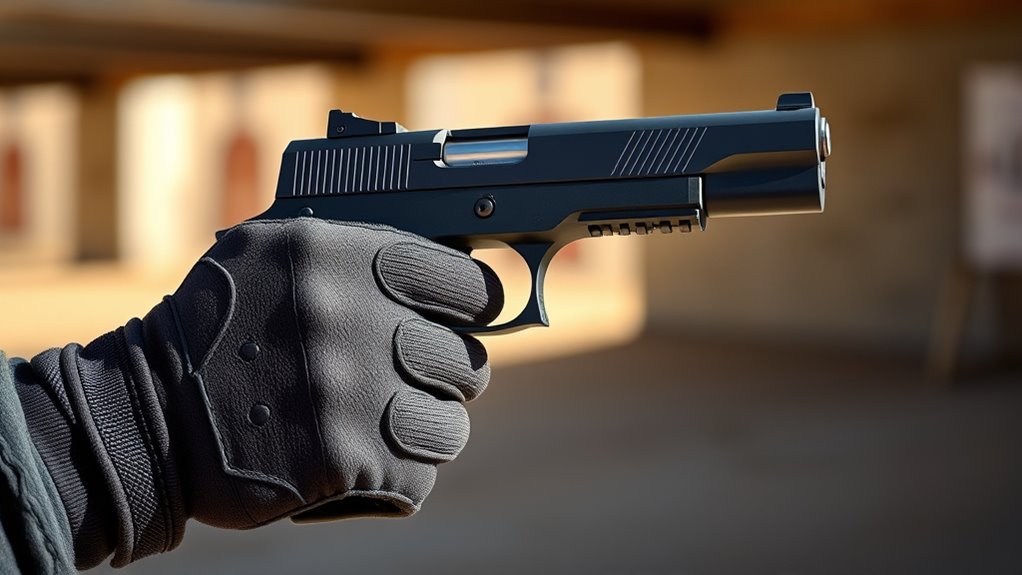
Although mastering pistol whipping might seem intimidating at first, getting comfortable with the basic controls for shooting and reloading is essential for success. To shoot, aim your weapon at the target and press the shoot button.
Timing your shots on-beat boosts your score, so stay focused. When your weapon’s empty, listen for the “Click” sound—that’s your cue to reload.
For reloading, aim at the floor and press the reload button, which you can find mapped in the options menu. Using aim assist helps with shooting accuracy by default, but you can toggle it off in settings if you want more of a challenge.
Practice these controls regularly to build muscle memory and guarantee you’re ready to react quickly during gameplay. You’ve got this!
Dodge Bullets and Avoid Obstacles Like a Pro
Mastering shooting and reloading sets the foundation, but staying alive requires sharp reflexes and smart movement. To dodge bullets effectively, move your head quickly left, right, up, or down before the shot lands.
Use threat indicators to anticipate enemy fire and make quick movements to avoid damage. When obstacles appear, duck under or weave around them to protect your armour.
Practicing quick, precise head movements sharpens your dodge timing and boosts survivability. Remember, shooting enemies before they fire reduces incoming volleys, making dodging easier.
| Action | Tip |
|---|---|
| Dodge Bullets | Move head swiftly in all directions |
| Avoid Obstacles | Duck or weave through obstacles |
| Quick Movements | Practice timing and precision |
Stay sharp and keep moving like a pro!
Choose Your First Scenes: Arcade or Campaign
Wondering which mode to pick first? Start with Arcade Mode. It lets you jump straight into individual Scenes without the distractions of story or voice acting, perfect for quick Practice.
Playing the first few Arcade Scenes helps you get comfortable with shooting mechanics, rhythm cues, and scene layouts. This focused approach allows you to build your skills and improve your high scores efficiently.
After completing six Arcade Scenes, you gain access to Campaign Mode, which offers a structured storyline and voice-acted cutscenes. Campaigns introduce more complex scenarios and add narrative context, enhancing immersion once you’ve mastered the basics.
Customize Your Pistol Whip Loadout With Styles
Once you’ve opened the Styles System, you can customize your pistol whip loadout by choosing weapon types and applying gameplay modifiers. You’ll be able to change weapon models, wraps, and sound effects to make your setup truly yours.
Go ahead and experiment with different combinations. Find the style that fits how you want to play!
Weapon Types Overview
How do you tailor your pistol whip experience to match your playstyle? Exploring the weapon types in the styles menu lets you find what fits best. Each weapon type offers unique mechanics, from the Pistol’s precision to the Boomstick’s power or the fast-paced Drum Gun.
You’ll also find the Brawler melee or Burstfire for rapid shots. Weapon customization lets you personalize models, sounds, colors, and wraps, enhancing immersion without altering core mechanics.
| Weapon Type | Playstyle Highlight |
|---|---|
| Pistol | Precision and speed |
| Boomstick | High damage, slower |
| Burstfire | Rapid shots, control |
Unlocking styles through Arcade or Campaign adds layers to your loadout, making your pistol whip truly yours. Give it a try and see what fits your vibe!
Modifiers And Customization
Although you need to complete six Arcade Scenes to access the Styles Menu, you’ll gain access to powerful customization tools that let you tailor your pistol whip loadout with preset modifiers or your own unique combinations.
The Styles System lets you browse through various modifiers that can change gameplay mechanics—like difficulty tweaks, invincibility, or removing obstacles—so you can adapt the experience to fit your style. Beyond gameplay, customization includes adjusting weapon models, sound effects, colors, and wrap patterns for a personalized look.
Mixing different styles and modifiers not only enhances your gameplay but also grants access to exclusive leaderboards, boosting replay value. Explore the Styles System to create a loadout that’s truly yours and keep your pistol whip sessions fresh and exciting.
Adjust Difficulty and Playstyle With Modifiers
When you reveal the Styles System after completing six Arcade Scenes, you gain access to a variety of difficulty modifiers that let you tailor the game to your skill level and preferred playstyle. Use the Styles Menu to activate options like Bottomless, Unobstructed, Threatless, or Bulletproof, which can reduce enemies or make you invincible.
These modifiers help ease the challenge, especially if you’re just starting out. You can combine multiple modifiers to considerably change gameplay, so experiment to find a balance that fits your style without overwhelming you.
Regularly adjusting difficulty with these modifiers allows you to gradually increase challenge as your skills improve. This way, you can learn and adapt at your own pace while keeping the experience enjoyable.
Practice Timing Your Shots With the Beat for Higher Scores
To boost your scores, you’ll want to sync your shots precisely with the game’s pulsing flash and visual cues that mark the beat. Mastering timing and rhythm is key to increasing your accuracy and earning more points.
Start by focusing on shooting exactly on the first beat, as each well-timed shot adds to your score multiplier. Here’s how to practice effectively:
- Use the No Beat modifier to improve accuracy without rhythm pressure
- Gradually reintroduce beat timing to develop rhythm synchronization
- Pay close attention to flashing lights and music pulses as visual cues
- Enable haptic feedback at max strength to feel the beat through touch
- Consistently practice aiming and shooting on the beat for better timing
It might feel tricky at first, but with regular practice, you’ll get the hang of it. Just keep focusing on those beats, and your scores will climb in no time!
Recover Armor and Manage Damage During Play
To keep your armor intact, focus on dodging enemy fire and avoiding hazards whenever possible. Take out enemies quickly to recover armor with each defeat.
Balancing offense and defense will help you stay in the fight longer. Just remember, staying on the move and thinking ahead can make all the difference!
Avoiding Damage Sources
Although eliminating enemies quickly is essential, you’ll also need to dodge red Threat Indicators and obstacles to keep your Armor intact. Staying alive means you must be aware of your surroundings and react fast.
Here’s how to avoid damage sources effectively:
- Dodge incoming fire by watching for red Threat Indicators.
- Use quick pistol whip melee attacks to clear close-range enemies.
- Steer clear of obstacles that block your movement or line of sight.
- Prioritize evasion over aggressive shooting when overwhelmed.
- Keep moving to reduce the chance of getting hit.
Regaining Armor Effectively
Wondering how to keep your Armor topped up during intense combat? The key to regaining armor lies in how quickly you eliminate enemies. Every foe you defeat rewards you with Armor recovery, so prioritize taking them out efficiently.
Use your pistol whip to clear close-range threats; it’s a swift way to stay alive while preserving your Armor levels. Avoid taking damage by watching threat indicators carefully—dodging bullets and obstacles protects your Armor from depleting.
Managing damage effectively means staying mobile and striking fast. Remember, the better you are at eliminating enemies and evading attacks, the longer your Armor lasts.
Mastering this balance lets you survive longer and maintain peak performance in the heat of battle.
Track Your Scores and Compete on Pistol Whip Leaderboards
When you finish a Scene or Mode, you can instantly view your scores and compare them on various leaderboards. These include global, friends, scene-specific, weapon-specific, and modifier categories.
The leaderboards update in real-time, letting you track progress and set new goals. To climb the ranks, focus on mastering timing and accuracy, experimenting with different modifiers, and practicing various Scenes consistently.
Don’t forget to share your top scores with the community. Challenging friends and global players adds a fun, competitive edge.
Using modifiers smartly can really boost your performance and lead to higher scores. As you track your standing, you’ll see how small improvements affect your leaderboard position.
Competing this way keeps you motivated and sharpens your skills. It makes pistol whipping more rewarding and fun!
Frequently Asked Questions
How to Dodge in Pistol Whip?
You dodge in Pistol Whip by moving your head quickly left, right, up, or down when red Threat Indicators appear. Keep your movements sharp and timed well to avoid bullets and obstacles, boosting your survival chances.
How Does It Feel to Be Pistol Whipped?
You feel electrified and in the zone, as your shots sync perfectly with the beat. The flashing lights and haptic feedback make every hit pulse through you, turning intense action into a rhythmic, immersive rush.
What Are the Different Difficulty Levels in Pistol Whip?
You’ll find four difficulty levels in Pistol Whip: Easy, Normal, Hard, and Expert. Each adjusts enemy numbers and aggression, making your gameplay more or less intense depending on your skill and chosen modifiers.
How to Train for Pistol Squats for Beginners?
You might think pistol squats require instant strength, but training gradually builds it. Start with assisted squats on a sturdy surface, keep your heels down, chest up, and slowly increase depth as your balance and flexibility improve.
Conclusion
Now that you’ve mastered the basics of Pistol Whip, imagine stepping into your favorite scene, effortlessly syncing your shots to the beat while dodging bullets like a pro. Just like Jamie, who climbed the leaderboards after practicing timing and modifiers, you’ll see your skills—and scores—soar.
Keep challenging yourself by adjusting the difficulty and tracking your progress regularly. With dedication, you’ll turn every session into an exhilarating rhythm-shooting experience.
Pistol Whip is all about timing, movement, and staying in rhythm. So, keep practicing those steps, and soon you’ll be blasting through levels with style and confidence. Remember, the more you play, the better you get—making Pistol Whip not just fun, but incredibly rewarding too!